case study · search ux
Pearson Search
Research
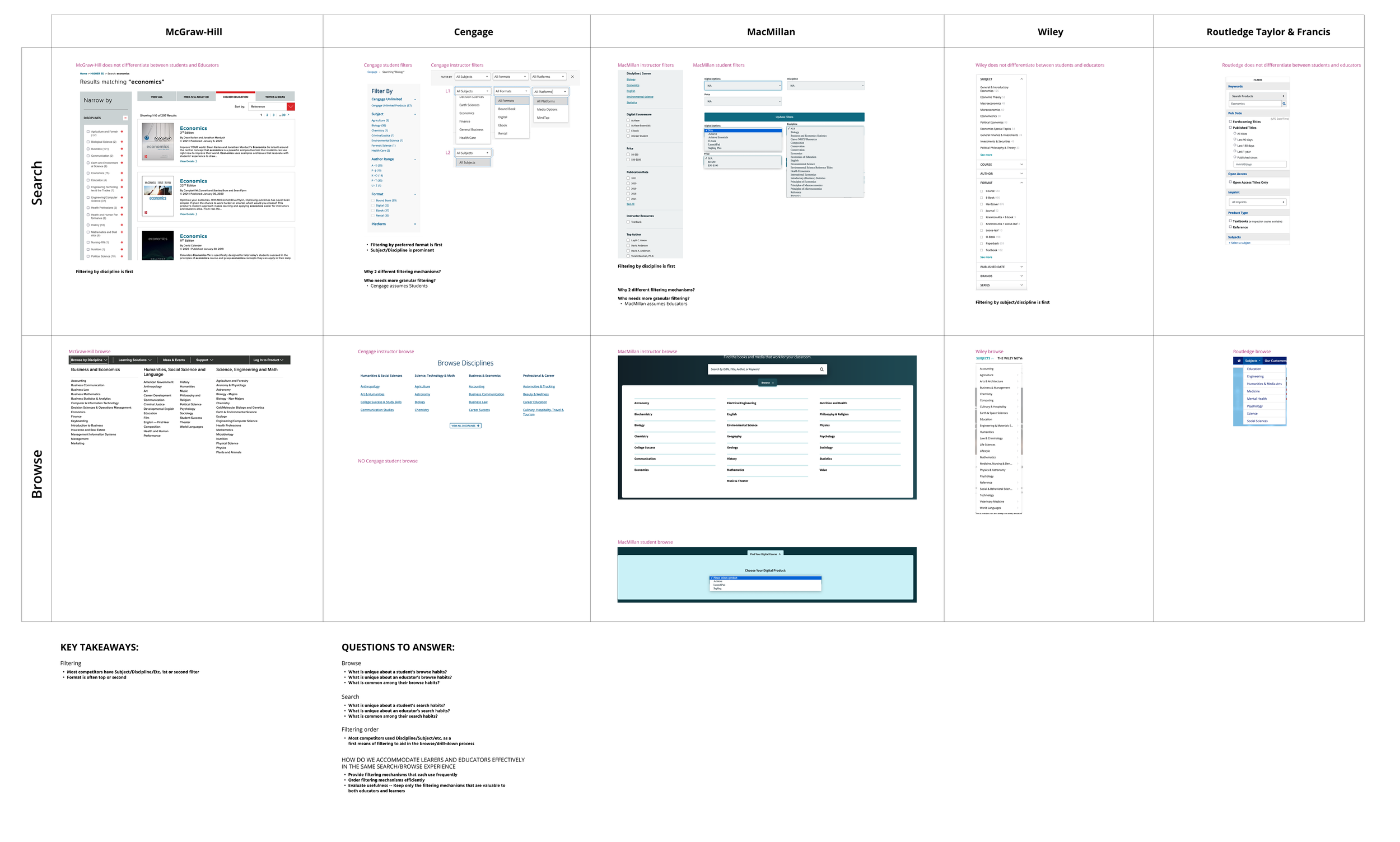
I used competitive analysis to understand how Pearson’s competitors differentiated between educator and student search behaviors.
Predictive search
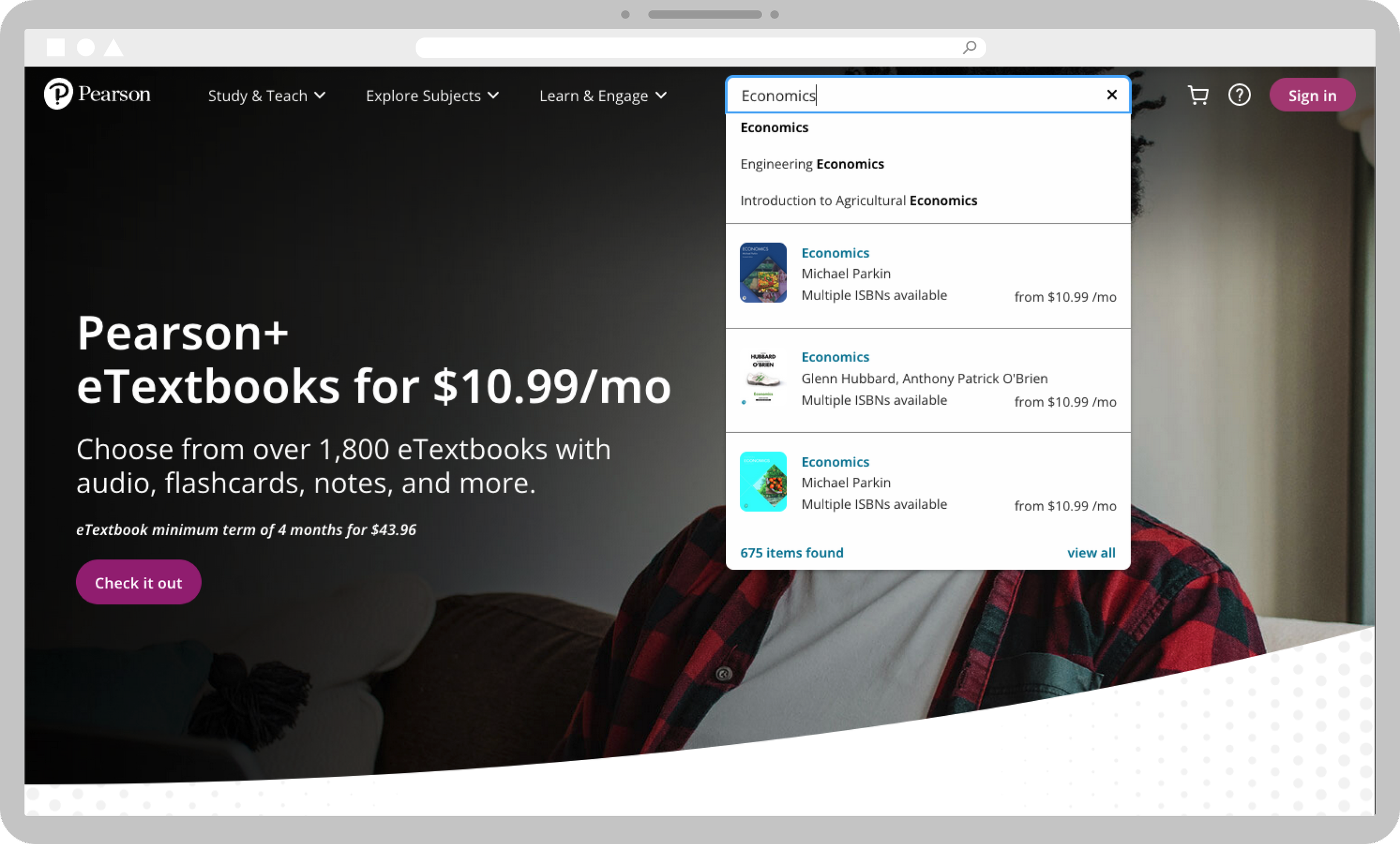
With thousands of products available, predictive search helps people find what they’re looking for quickly.
List vs. grid
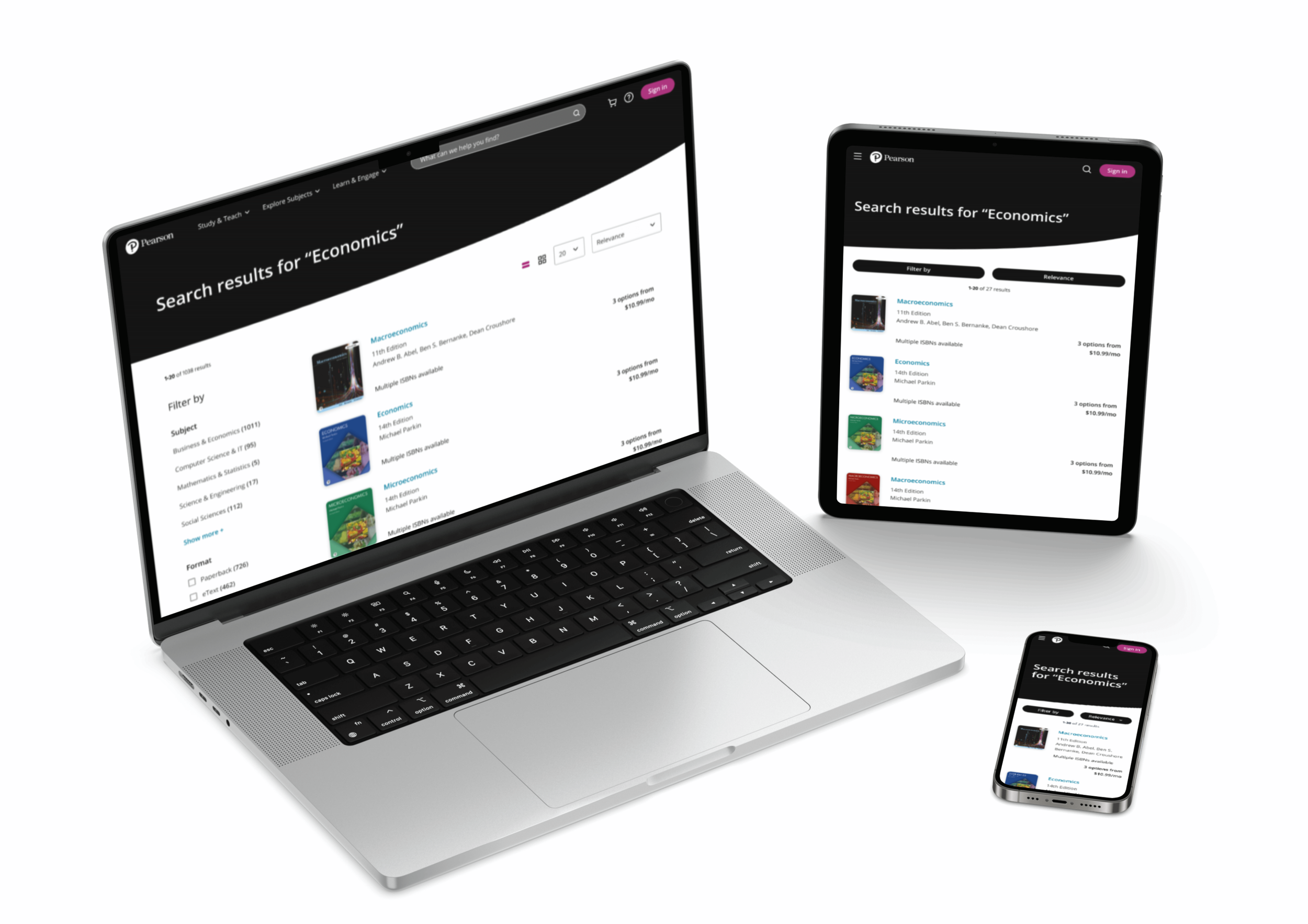
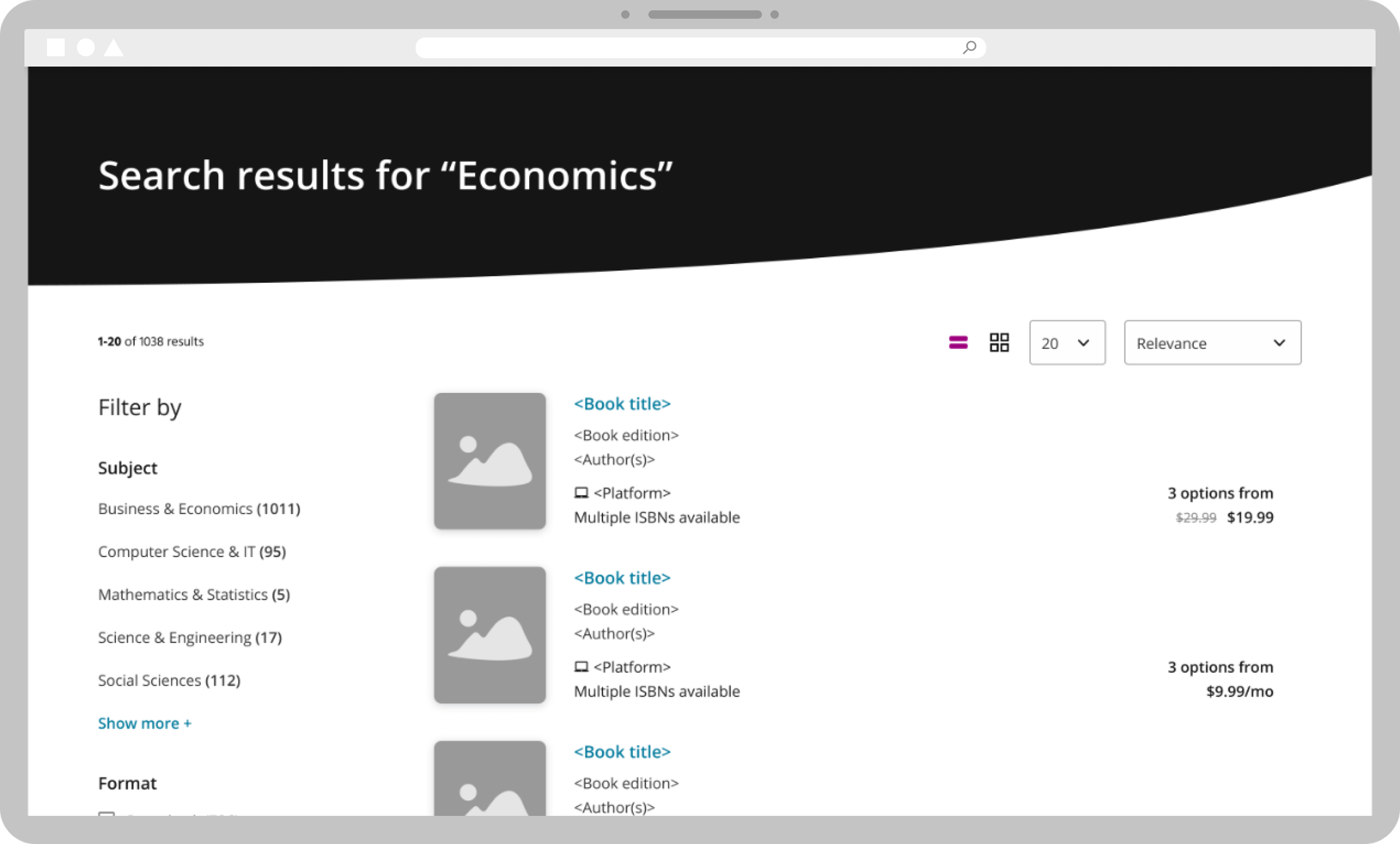
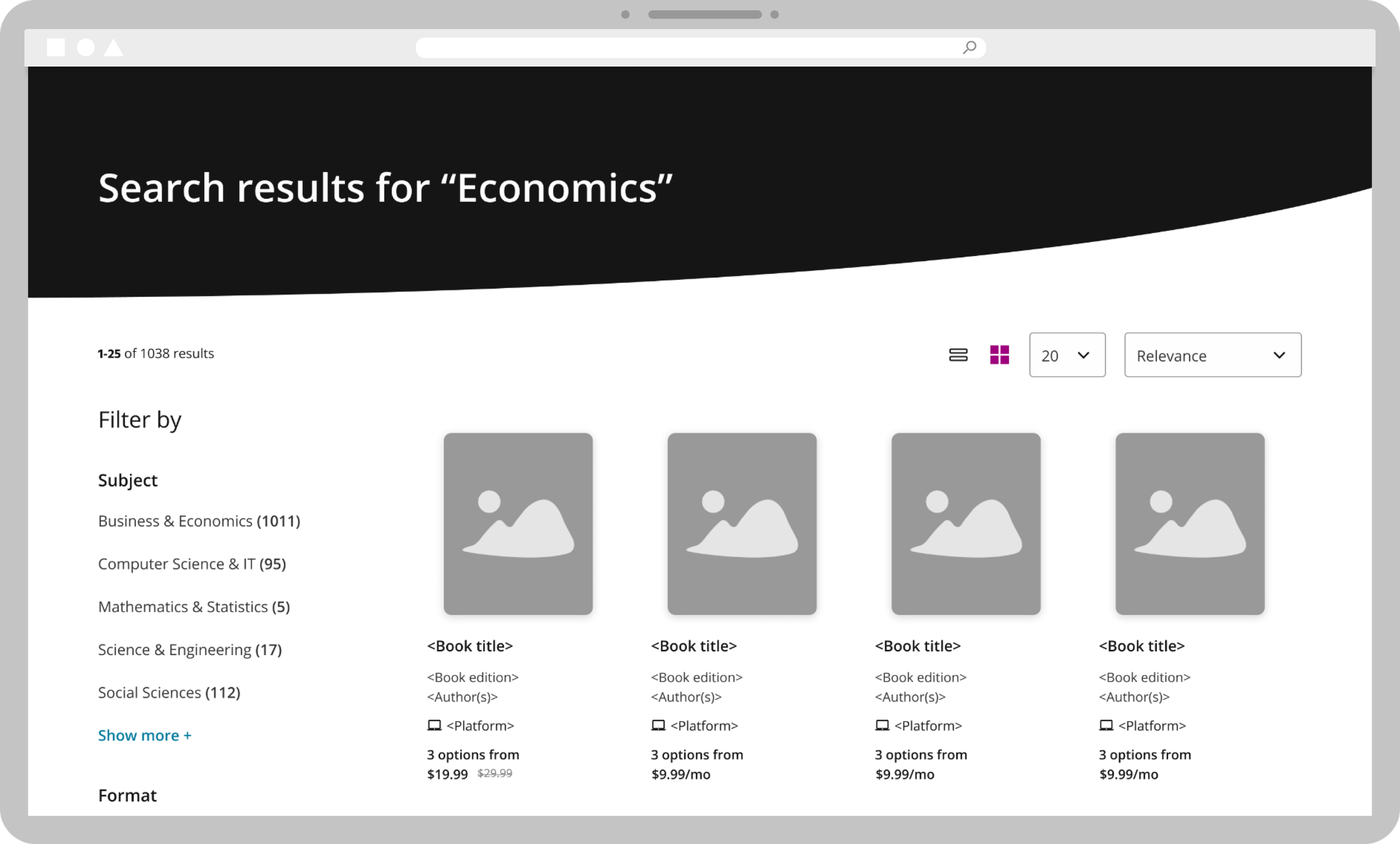
People process information differently, so offering both a list view and a grid view makes the experience easier. Both views provide complete pricing, platform and format information.
Filtering and sorting
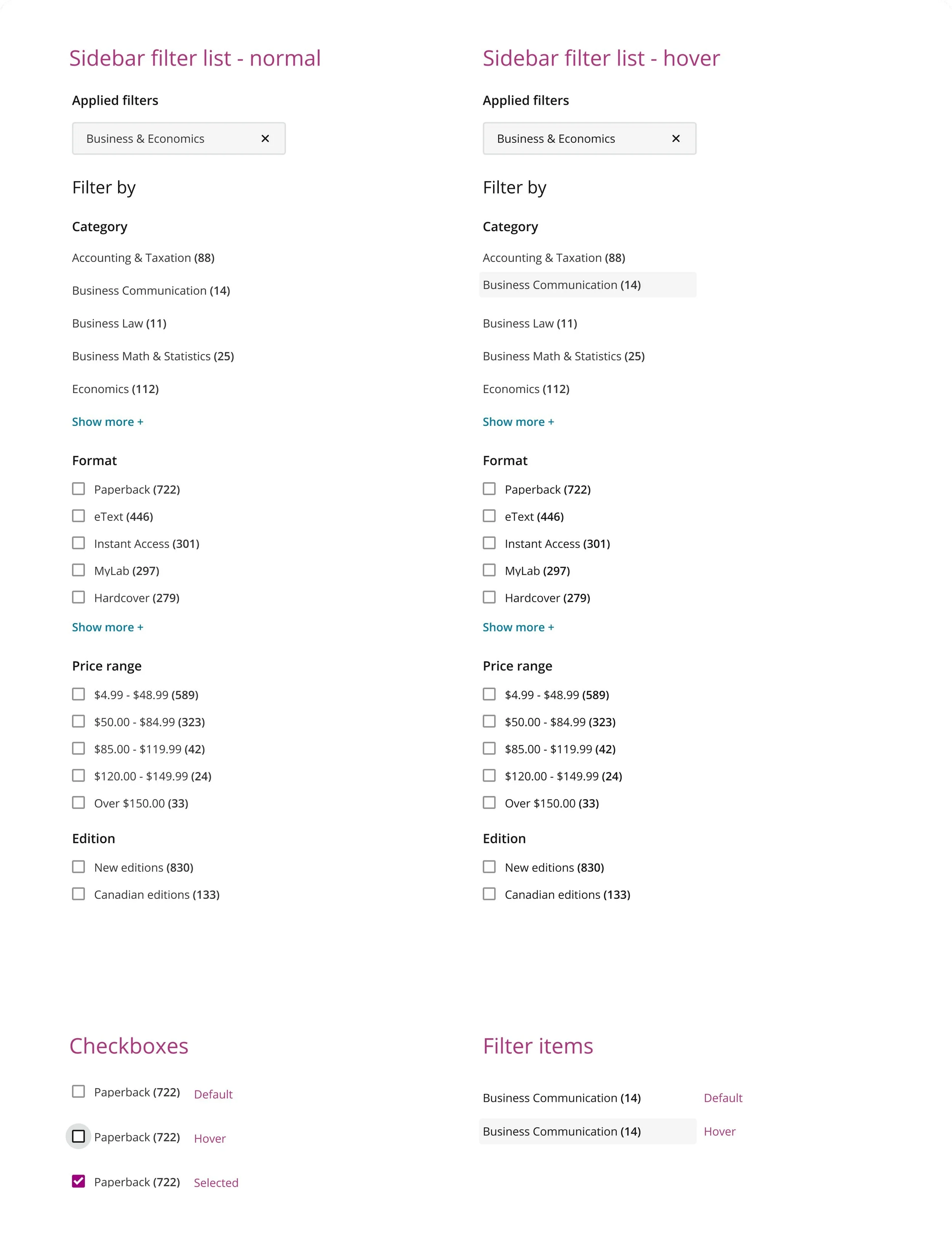
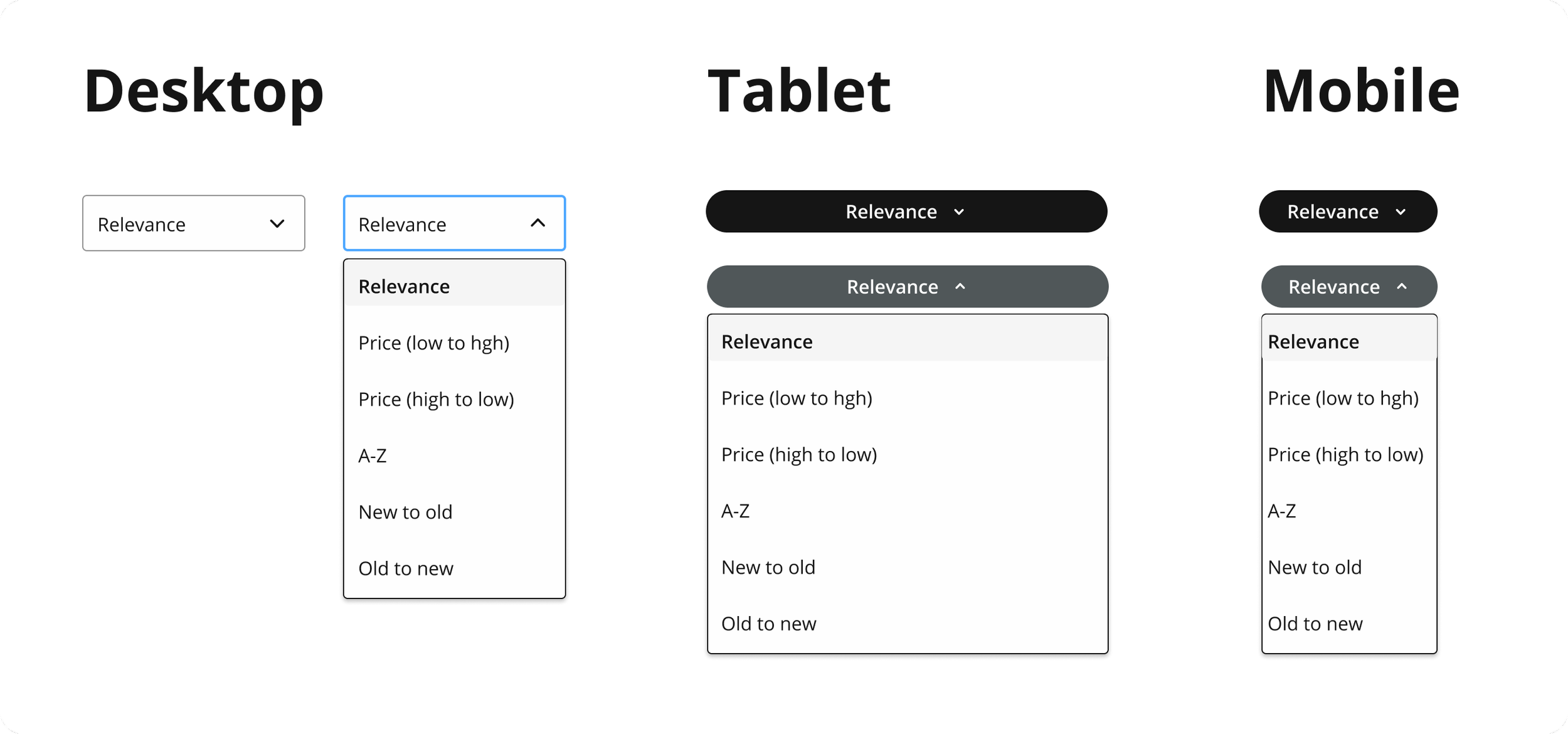
Filters narrow down results. Research showed users preferred to filter by subject first, then by format and price. Educators and students also need a way to sort their results.
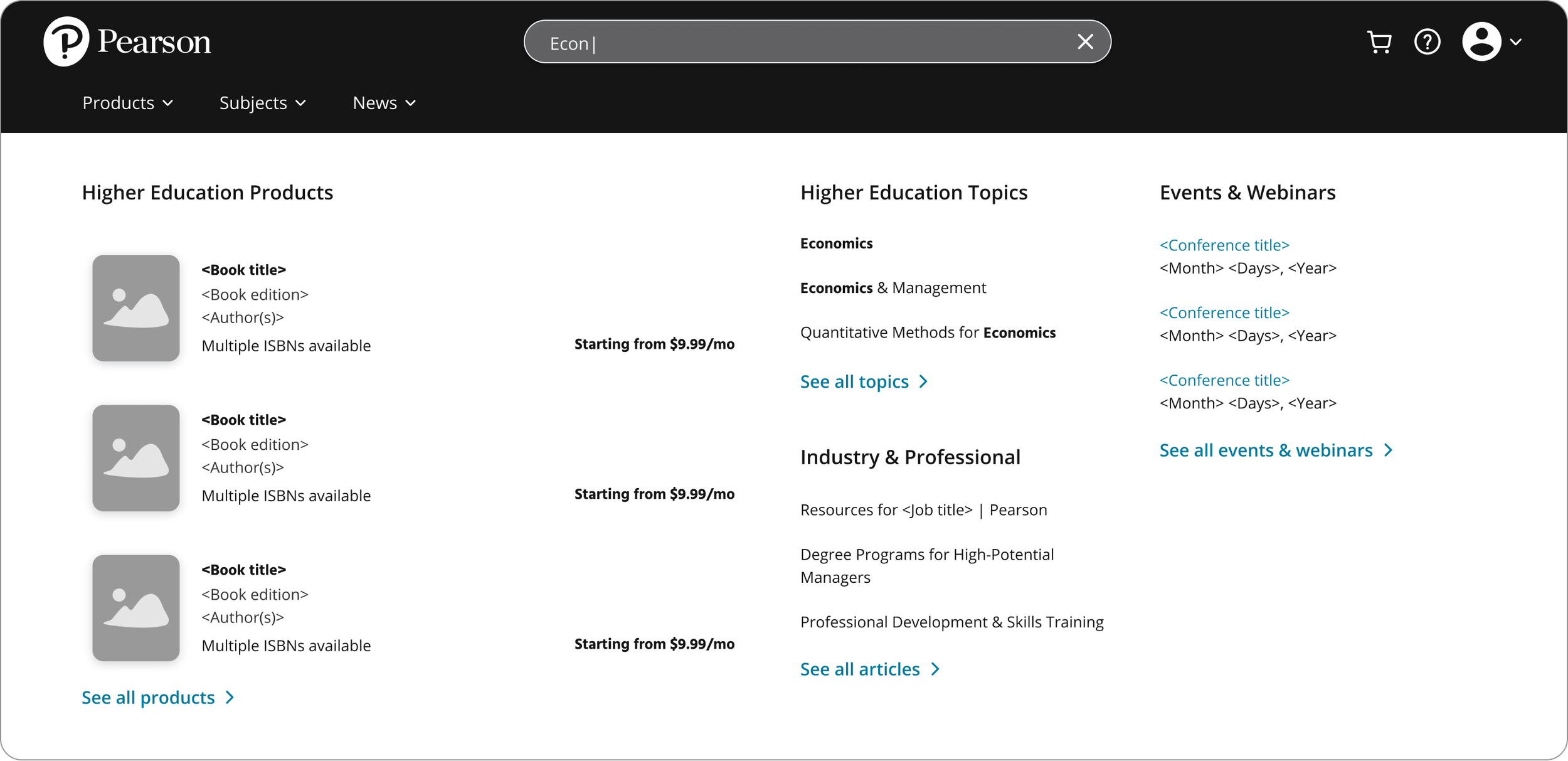
Federated search discovery
To surface thought leadership articles, blogs, events and webinars alongside product results, I explored federated search using a mega menu.