
case study · design system
McGraw Hill Lighthouse Design System
Plan
Audit
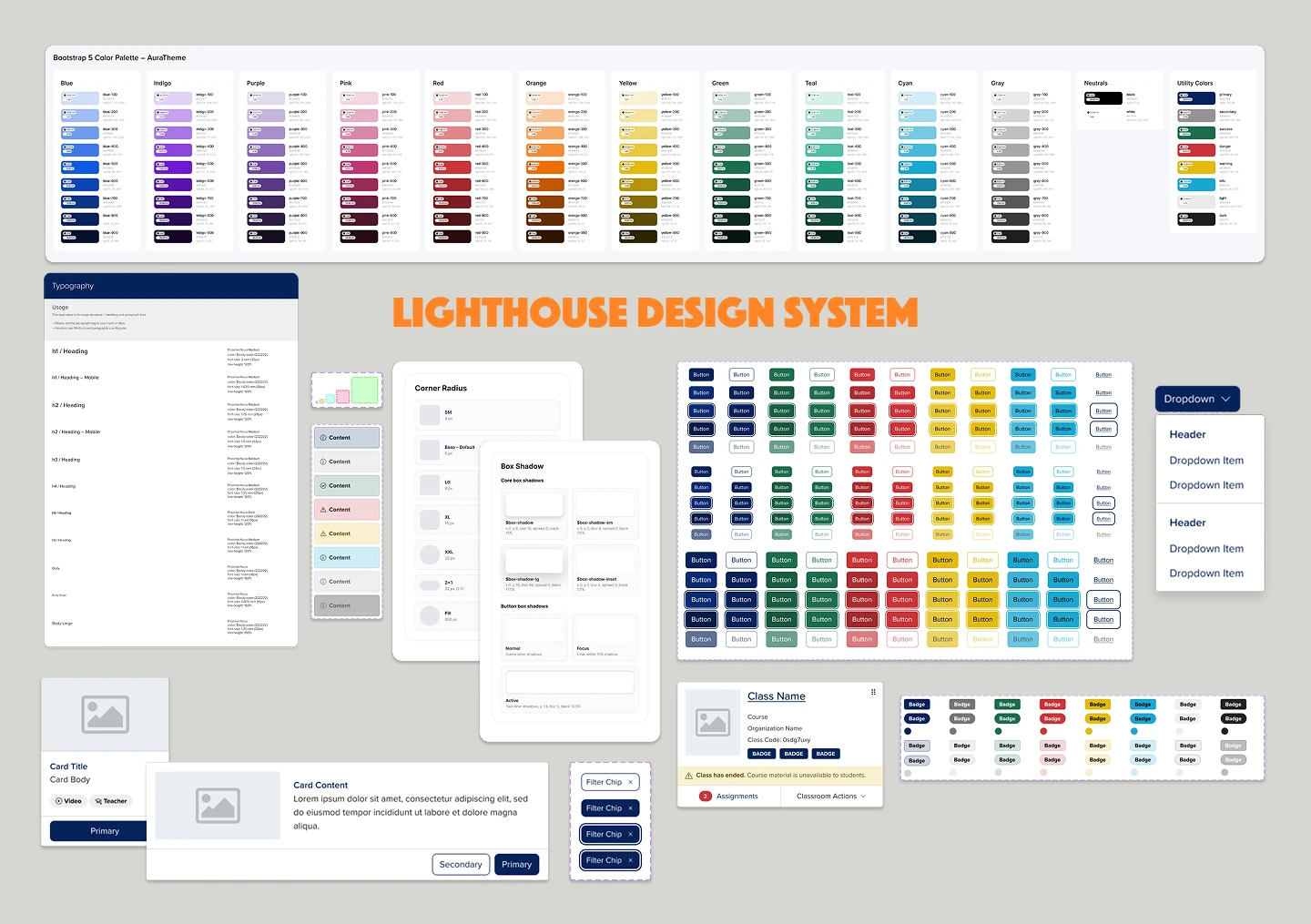
I carefully determined which elements existed in the code repository and in Figma, and which had been designed but never formally included in a system.
Analyze
I carefully analyzed the Bootstrap 5 variables and mapped them to the variables within Lighthouse V2. I also interviewed design team members to understand the challenges they faced with the existing component library.
Prioritize
I divided the artifacts into a progressively more complex set of elements using the Atomic Design approach: Foundations (color, typography, spacing, corner radius, box shadow, layout, icons, grid, focus ring); Elements (images, figures, tables); Common Components (accordion, alert, badge, breadcrumb and more); and Platform Components (course shell, course navigation panel, program cards, teacher asset cards).
Build
Design
The design system was built in Figma, starting with Foundations and progressing to Elements, Components and Page Templates as needed.
Developer review
Once complete, elements of the design system were formally handed off to front-end developers, who reviewed them and provided feedback to make the component library more accurate.
Deploy
A series of training exercises introduced the design system to the design team.
Document
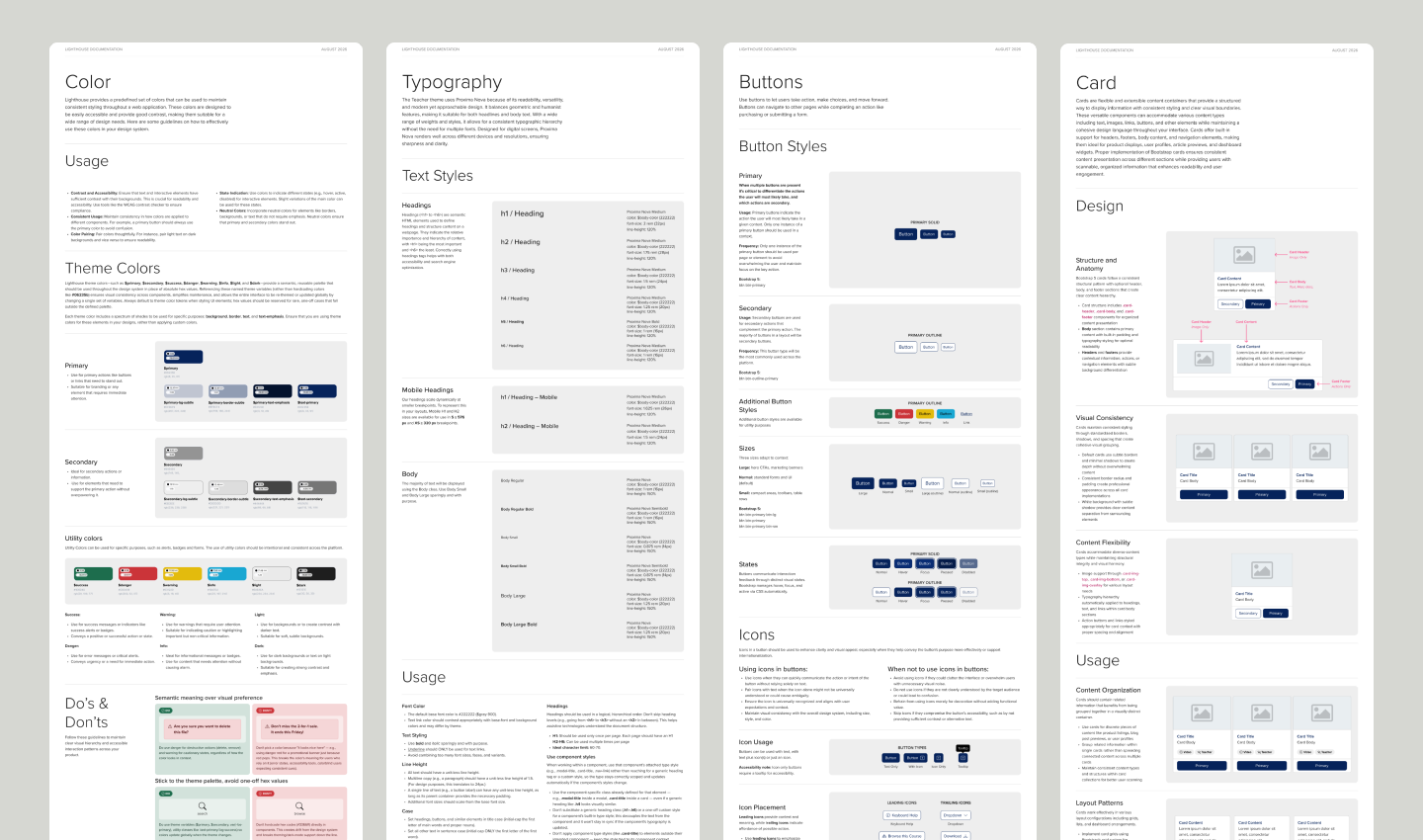
As the system became more sophisticated, it became necessary to explain how to use each element and to document changes, best practices and how to contribute. This documentation lives directly in the Figma component library, giving designers easy access and streamlining Figma Make’s access to the documentation.
Improve
Refine
Regular feedback helped me identify where the design system could improve, and I introduced a process for proposing new components. Elements were regularly updated to improve usability and responsiveness, including a new approach to building cards, date range support in the date picker, and a new and improved Course Navigation Panel.
I also created a feedback channel in Slack that let me address feedback and prioritize fixes and improvements.
Continuous improvement
The most significant improvements were made in Figma: Figma slots were applied across the library, improving designers’ ability to customize components without detaching them from the library.
Educate
Onboarding
I held onboarding meetings to train new designers in the use of the design system.
Office hours
I held regular office hours to provide additional training on general usage and new improvements.
Coordinate
Coordinate
I held biweekly meetings with front-end development leadership and accessibility leadership to discuss the product roadmap and address immediate concerns.
Innovate
Supporting new products
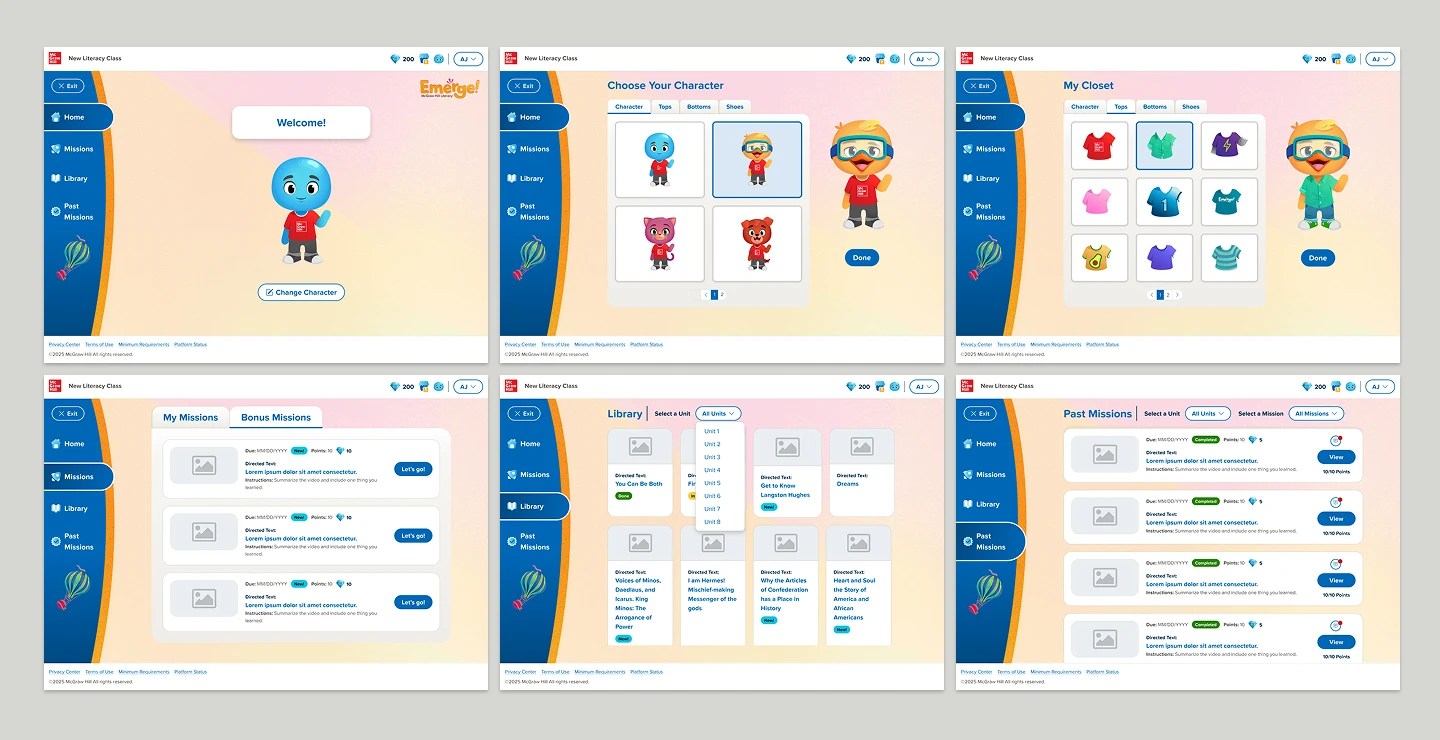
In addition to supporting the Lighthouse V2 Design System, I was called upon to support Emerge!, a new literacy product for K–5 learners. Emerge! required a playful, fun and engaging experience that the current platform couldn’t offer. Building on the lessons of Lighthouse V2, I worked with the development team to quickly create a new theme that used the same variables as Lighthouse V2 with different values, rather than building a completely new design system. This greatly reduced development time and built on the best practices established for the Teacher and 6–12 Student theme.
Results
50+ components supporting 3 product themes. The Emerge! theme shortened development time by ~25%.